
FX Weekly Recap: August 14 – 18, 2023

Stronger-than-expected U.S. and U.K. data releases supported hawkish biases for the Fed and BOE, boosting both the U.S. dollar and British pound to the top of this week’s rankings. Meanwhile, China’s growth concerns kept a lid on the demand for commodity-related currencies like AUD and NZD, as well as fueling risk aversion behavior this week.
FX Play of the Day Recaps: August 14 – 17, 2023

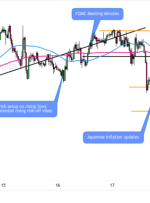
Our strategists had an extraordinary week with arguably four out of four strategy discussions catching solid moves in FX and gold! Our anticipation of global risk-off vibes played out well, so read further to see how fundamentals drove price and what lessons can be learned for your own trading! NZD/USD 1-Hour Forex Chart by TV

Trader Assistant Mini MT5 – Other – 19 August 2023

How to install the demo version of the product: The process of installing is similar to “Trader Assistant MT5”, so click to see. Trader Assistant Mini MT5: This is a handy tool for every trader who uses MT5. It has three modes of trade volume calculation, 1) fixed volume (lot size),2) fixed cash, and 3)

Guide to buying a product – Other – 16 August 2023

Guide to buying a product Hello In this document, we will help you to buy the product you want from the MQL5 site.First, enter the following link (MQL5 market):https://www.mql5.com/en/market  Then, using the filters on the left side of the page, select the product category you want:For example, we choose Expert Meta 4.   Then, in

Practice Simulator can be synchronised with other charts – Other – 19 August 2023

“Practice Simulator Sync” synchronizes with “Practice Simulator” to display chart time and position information, not only for the same currency pair, but also display synchronized charts for various timeframes and different currency pairs. Practice Simulator https://www.mql5.com/en/market/product/98348 Practice Simulator Sync https://www.mql5.com/en/market/product/104011 Important To create a synchronised chart, you need historical data for the synchronised chart to

Installation guide for the purchased product – Other – 16 August 2023

Installation guide for the purchased product HelloIn this document, we want to teach you how to install a purchased product. First part: Installing Metatrader  4products Log in to Metatrader From the upper right part, log in to your MQL5 site account (using “username” and “password”). Then, from the top left side of Metatrader, click on

Hero EA implementation guide – Other – 16 August 2023

Hero EA implementation guide In this document, we want to help you to implement this expert in the best way.After installing the expert (according to the installation guide of the purchased products), we will see the following image: On this page, you can see the basic information of the expert.This information shows that your product

FXMH PARAMETER SETTINGS HEDGING – Trading Systems – 18 August 2023

If the initial deposit is $1000 on MODERATE RISK micro account use the parameter settings below: Currency pairs: EUR/USD Timeframe: H1 Leverage: 1:500 Swap free account (forex robot will hold floating loss for weeks or even months) Parameter settings for EUR/USD, H1 MINIM_DAILY_PROFIT = Minimum daily profit = 10000 BATAS_FREE_MARGIN = Free margin limit = 50 JAM_ON = The robot starts trading = 1 JAM_OFF = The robot is